Download VAStudio
A private, offline-first desktop workspace for Virtual Assistants and Executive Assistants. Your clients, projects, tasks, focus and notes live on your machine — not in the cloud.
Pro is fully unlocked and free while VAStudio is in development.
Current build: v0.1.37 on the Development channel.
Choose your platform
Windows is ready today. macOS and Linux builds are on the way.
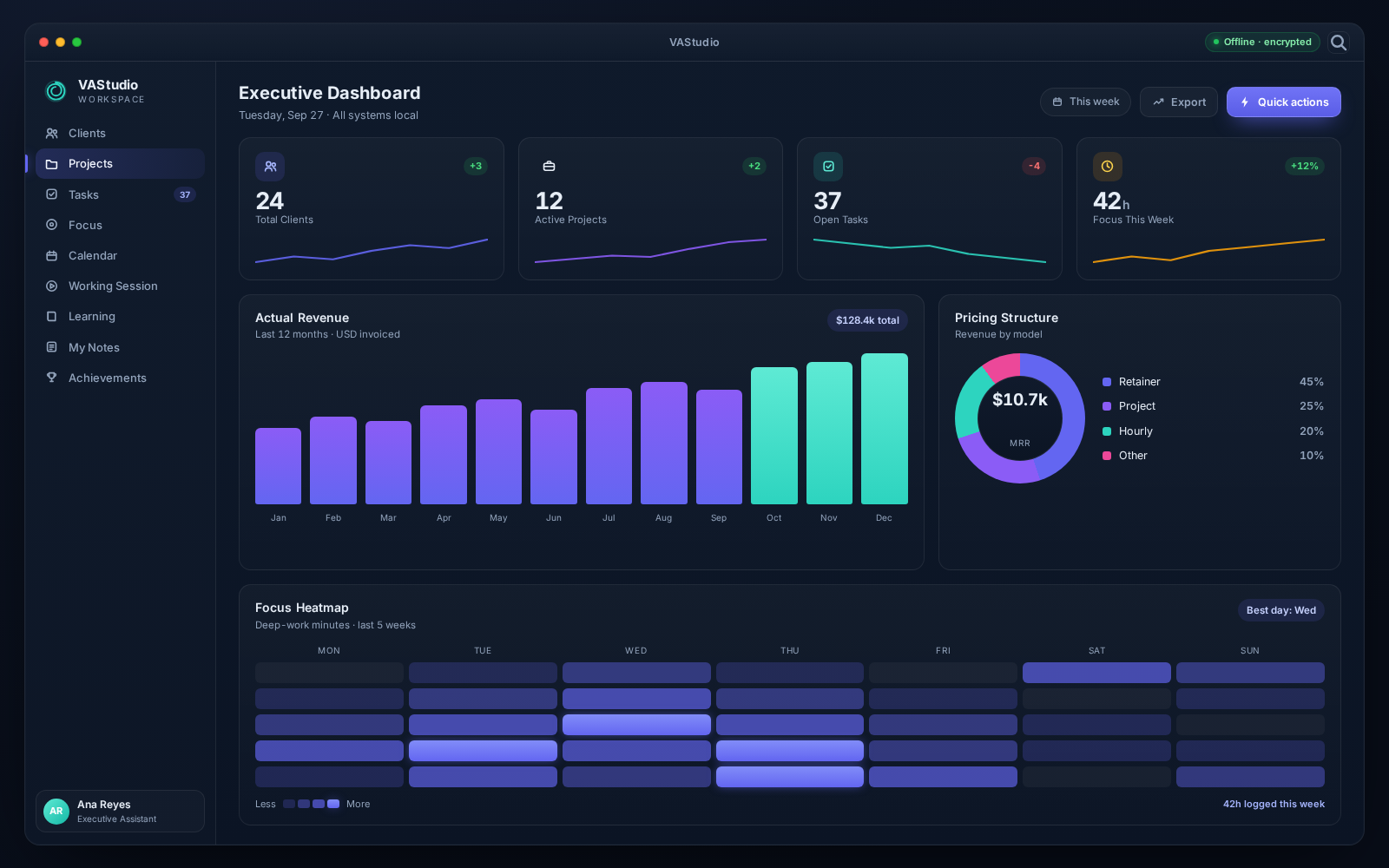
This is what you install
One focused desktop app — dashboards, tasks, focus and notes, all stored locally on your machine.
What you need
- Windows 10 or 11 (64-bit)
- About 150 MB of free disk space
- No account required
- No internet connection needed for core use
About the SmartScreen warning
Yes. The installer is not code-signed yet, so Windows may warn you. Click "More info" and then "Run anyway" to continue. You can always verify the file on our public releases page.
Frequently asked questions
Everything you need to know before you install.
Yes. While VAStudio is in development, the fully-featured Pro edition is free to use — with no pricing and no expiry date for now. We will announce any changes well before they happen.
No. VAStudio is offline-first: your clients, projects, tasks, calendar and notes all live on your machine. The internet is only used for optional app updates, the course catalog and AI providers if you choose to connect one.
In a local SQLite database on your computer, encrypted at rest with AES-256 (SQLCipher). The encryption key is sealed by your operating system, and nothing is uploaded to us or to any third party.
No account is required. The first time you open VAStudio you create a local profile that stays on your device. There is no sign-up form, no email verification and no password to remember.
A Windows installer is available right now. macOS and Linux builds are in the works — check back on the releases page to grab them when they land.
No. Updates are delivered inside the app and your local database is preserved across every version, including schema migrations.
Yes. The installer is not code-signed yet, so Windows may warn you. Click "More info" and then "Run anyway" to continue. You can always verify the file on our public releases page.
Yes. VAStudio supports local Ollama models and cloud providers such as OpenAI, Anthropic, Google and DeepSeek — using your own API key. Keys are encrypted on your machine and never sent to us.
See what's inside
Twelve built-in modules — clients, projects, tasks, calendar, focus, notes, AI and more — all in one private desktop app.
Explore the features