Features built for Virtual Assistants
Every tool a VA reaches for, gathered into one private offline workspace. Clients, projects, tasks, calendar, focus, notes and an AI assistant — all running on your own machine.
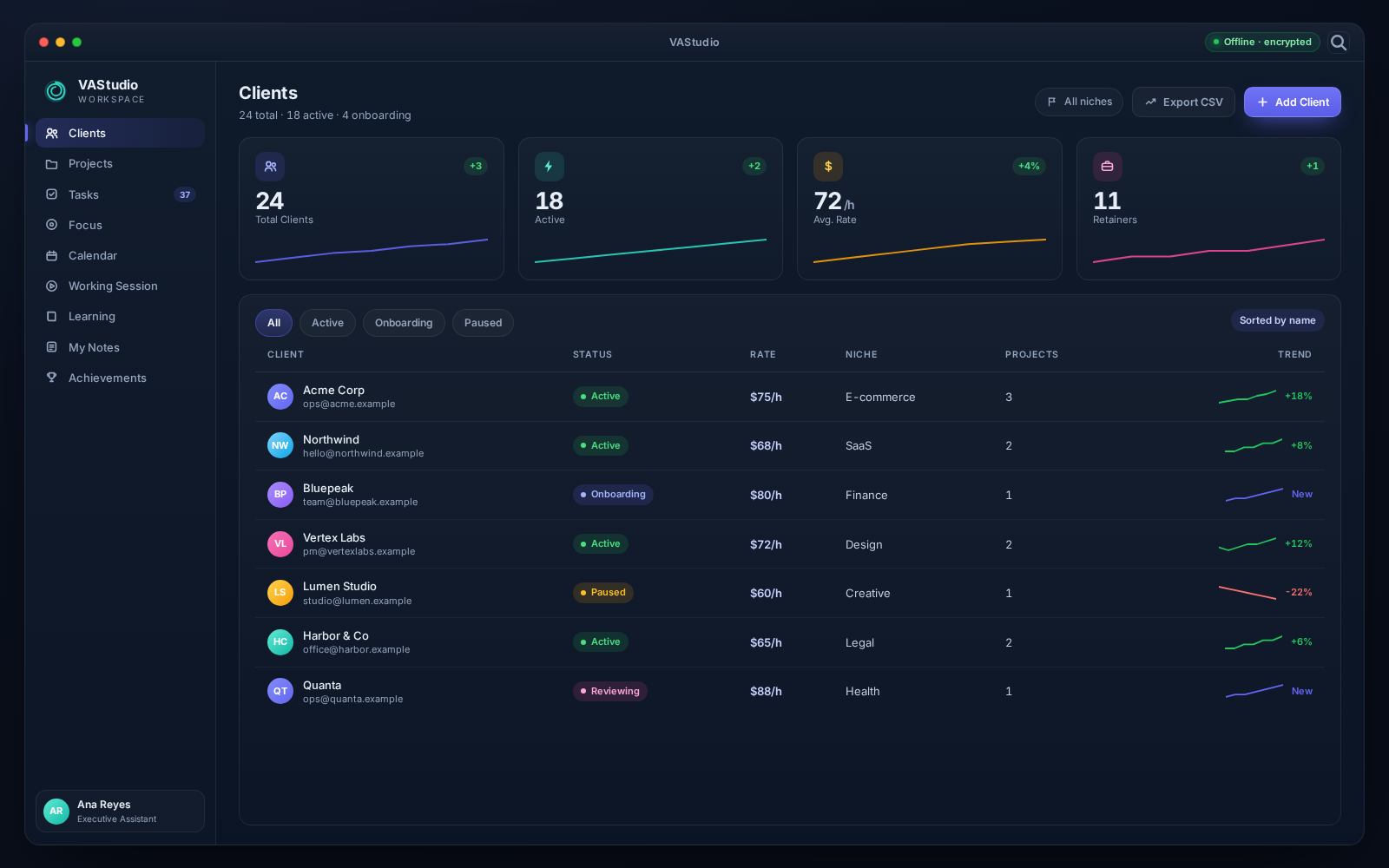
A CRM that lives with you
Clients
Full client CRM with profiles, notes, projects, tasks and a visual relationship graph.
- Rich client profiles with financials, company details and emergency contacts
- Per-client projects, tasks and timestamped CRM notes
- Client knowledge graph linking clients, projects and tasks
- Flexible tables with filters, inline editing and CSV / Excel export
02
From kickoff to sign-off
Projects
Projects with child tasks, Kanban boards, Gantt-style timelines and asset tracking.
- Drag-and-drop Kanban board across every status column
- Gantt-style timeline with hover tooltips
- Child tasks, assets, comments and automatic activity logging
- Completion progress gauge, billing status and deadlines
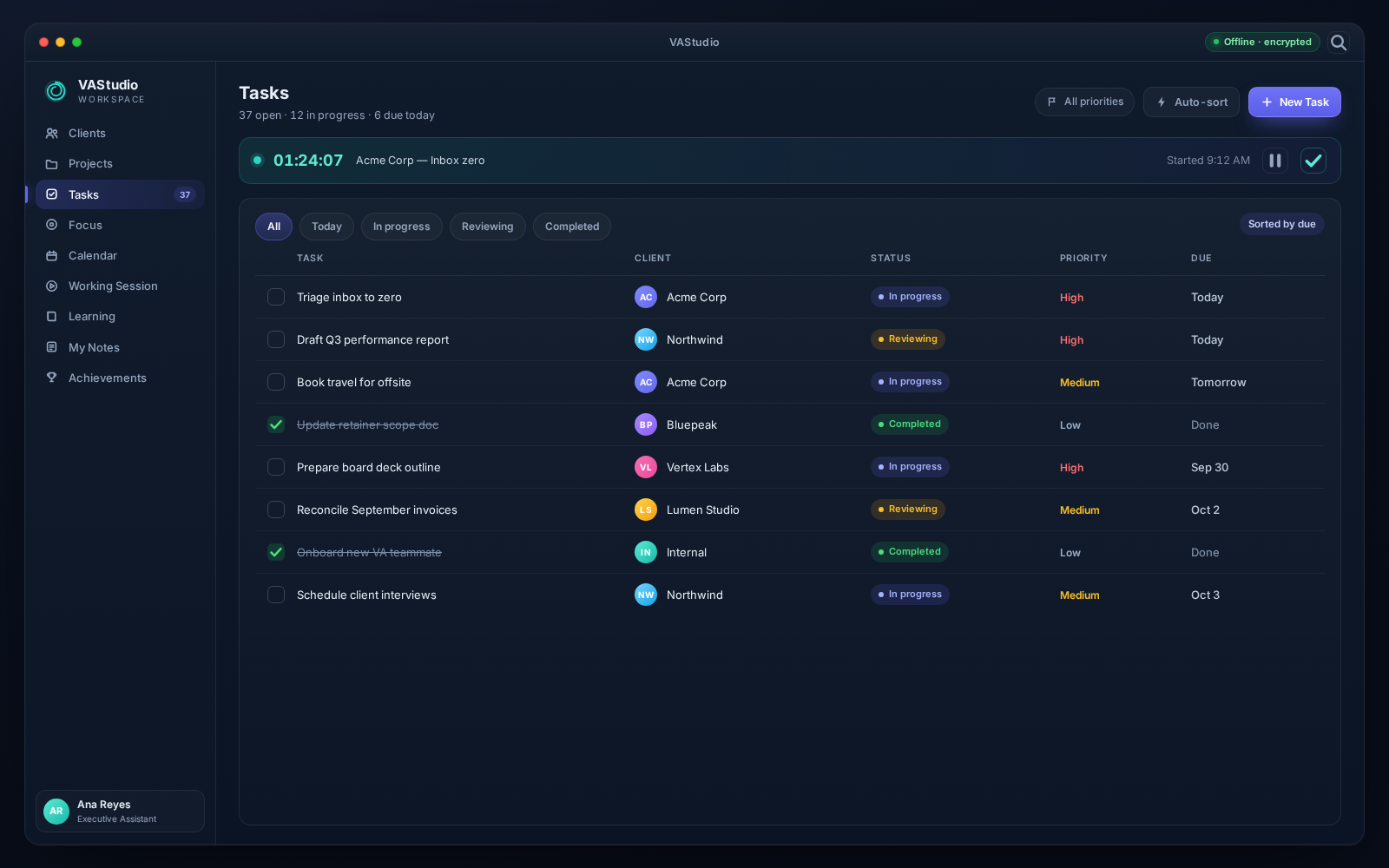
Every task, one place
Tasks
Global task management with live timers, subtasks, assets, logs and 60+ task types.
- Start, stop and complete tasks with persistent time tracking
- Subtasks, assets and a full audit log per task
- 60+ built-in task types across eight categories, plus custom types
- Billable amounts, priority, remaining days and confetti when you finish
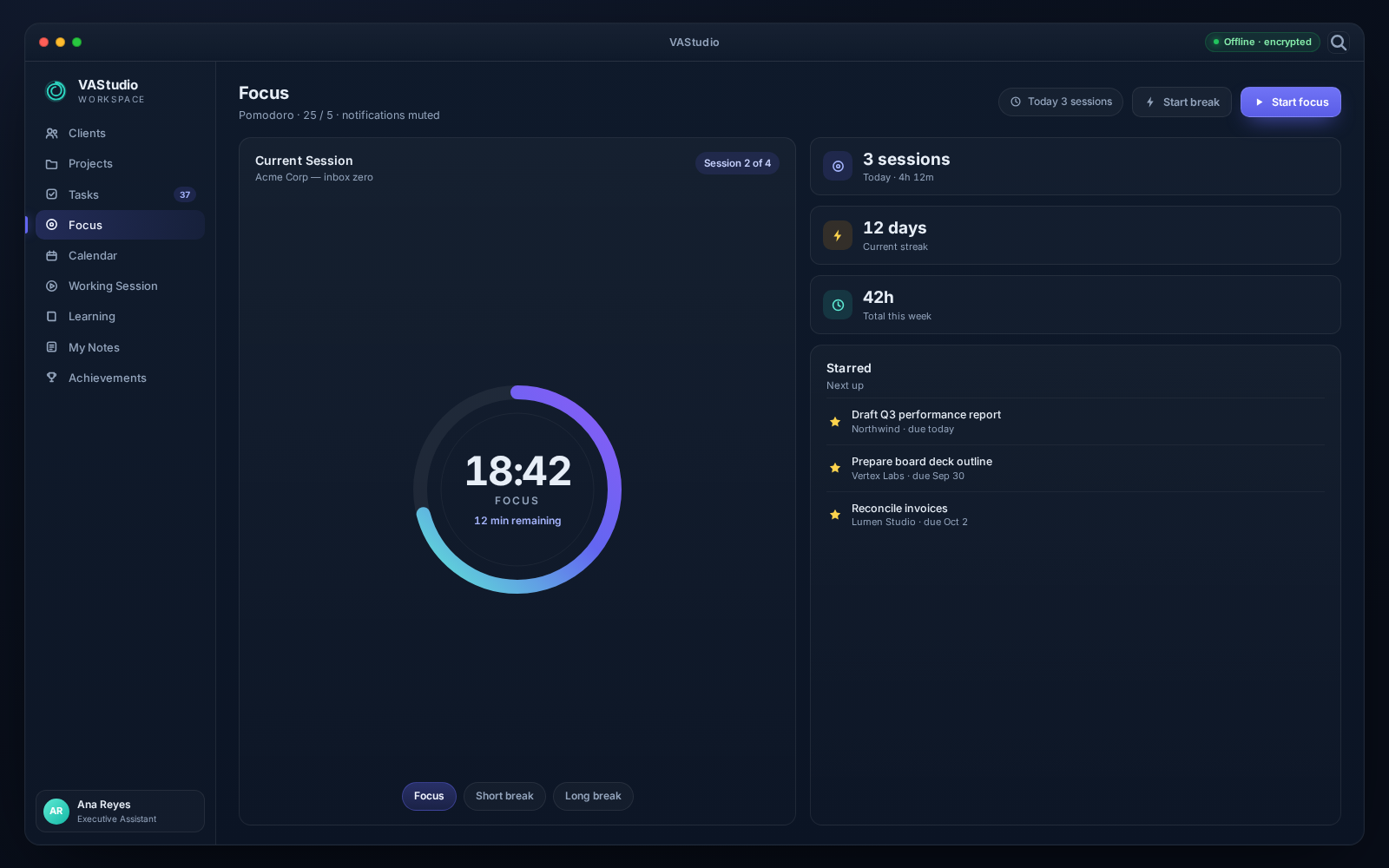
Deep work, on demand
Focus
Starred tasks and projects plus a Pomodoro engine and a focus analytics dashboard.
- Pomodoro with focus, short break and long break modes
- Resumable sessions and custom chimes
- Focus heatmap, concentration by weekday and hour
- A dashboard dedicated to how you actually spend your time
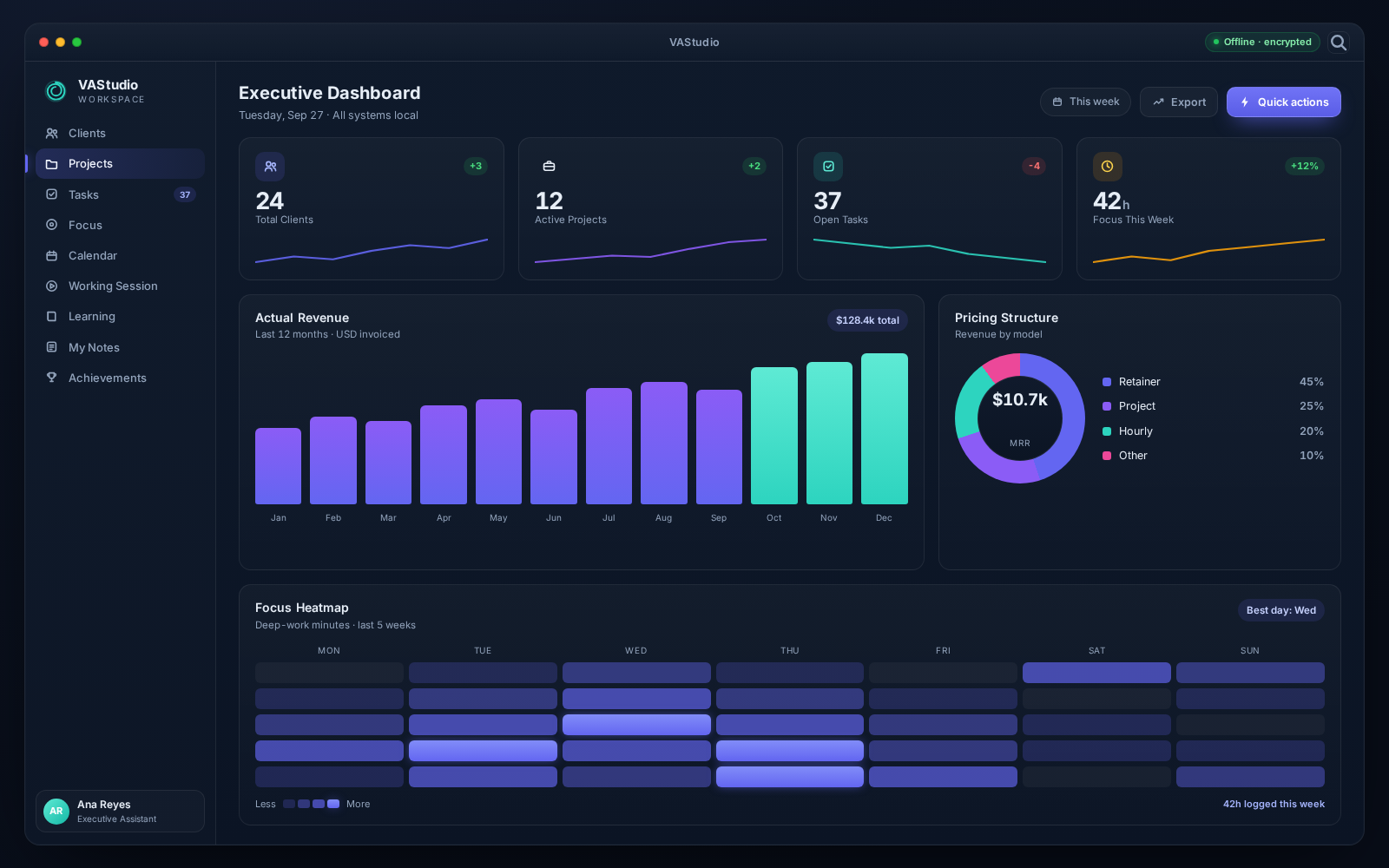
See the whole business
Dashboards
Executive, Revenue, Clients, Projects, Tasks and Focus analytics — six in total.
- Executive overview with revenue and focus at a glance
- Revenue forecasting and actual-vs-estimated analysis
- Client retention, tenure and acquisition trends
- Project and task productivity, completion rates and billing
06
Plan without the chaos
Calendar
Day, week, month and year views with task-linked events, repeats and reminders.
- Block time for a task and keep the event in sync with it
- Recurring events with custom intervals and end dates
- In-app alarm popups with custom notification sounds
- Quick color changes and an agenda panel for the day
07
Your focus cockpit
Working Session
A media player, study wallpapers, quotes and a focus timer in one workspace.
- Local music and video library with playlists and shuffle
- Audio visualizer, video and overlay player modes
- Study glass wallpapers, rain and rotating quotes
- Focus timer and starred tasks side by side
08
Grow your toolkit
Learning
A curated catalog of free and premium courses, cached right on your machine.
- Search and filter by provider, topic and cost
- Free and premium courses from top providers
- Offline fallback catalog so it always works
- Open courses in your browser in one click
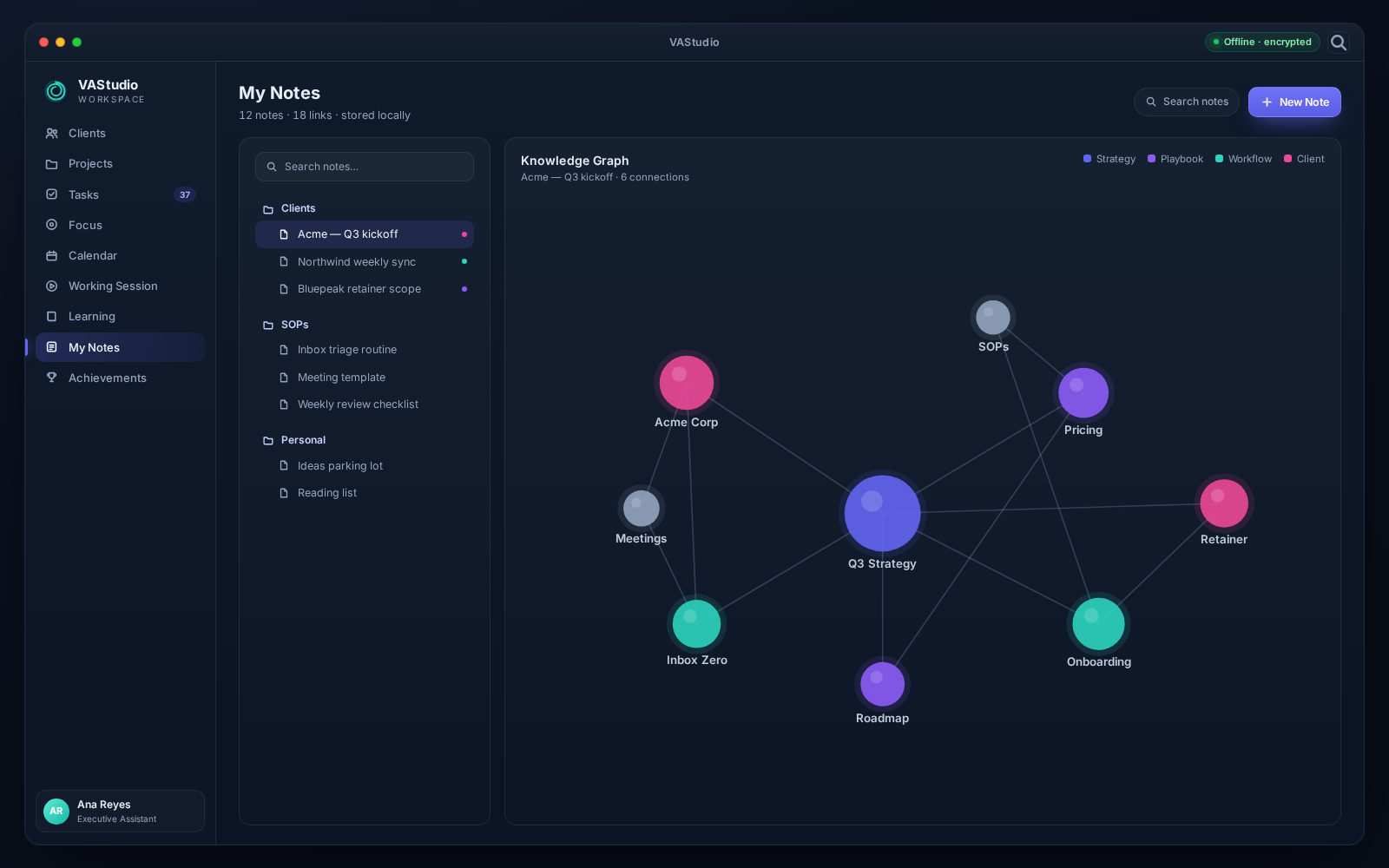
A second brain, offline
My Notes
Markdown notes with folders, tags and a visual knowledge graph with path finder.
- Markdown editor with live preview and wiki links
- Nested folders, drag-and-drop and tag colors
- Force-directed knowledge graph of notes and tags
- Find the shortest path between any two notes
10
Progress that feels good
Achievements
Earn XP, level up, keep streaks and unlock badges while you get real work done.
- XP, levels, diamonds and daily streaks
- 100+ avatars, borders and badges to unlock
- Events and seasons with limited-time rewards
- Unlock animations, sounds and confetti
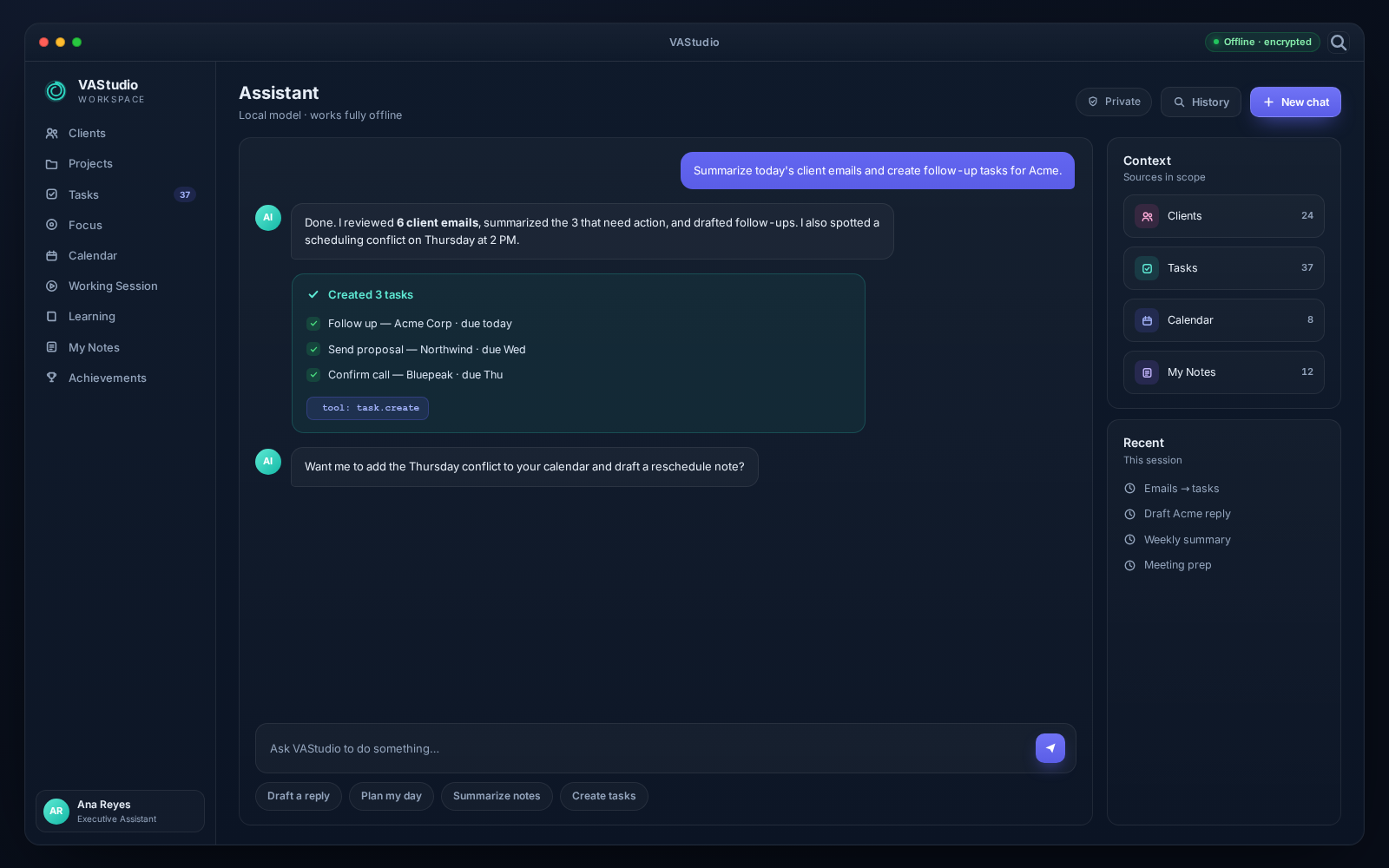
AI that knows your workspace
Assistant
Bring-your-own-key AI chat that can create tasks, subtasks and notes for you.
- App-aware context: it sees your clients, projects and tasks
- Creates and updates real records in your local database
- 12 providers including local Ollama models
- Your API keys are encrypted and never leave your machine
12
Nothing is ever lost
Archive & Recycle Bin
Archive completed work and restore anything you soft-deleted — nothing is lost.
- Archive and unarchive tasks and projects
- Recycle bin for clients, notes, comments, logs and assets
- Restore individual records or purge them permanently
- Safe by default, with confirmations on every destructive action
More than features. Peace of mind.
Every module sits on a foundation built around your privacy, your time and your ownership.
Offline-first by design
Launches instantly and works with no internet and no login. Your workspace is always available — even on a plane.
Private & encrypted at rest
Every client, task and note lives in a local database encrypted with AES-256. Your data never leaves your computer.
No subscriptions. No cloud.
No monthly fees, no per-seat pricing and no lock-in. VAStudio replaces your scattered tools with one app you own.
One calm workspace
Clients, projects, tasks, calendar, focus, notes and AI in a single window — no more tab-juggling between tools.
Bring your whole business into one app
Pro is fully unlocked and free while VAStudio is in development.
Download for Windows